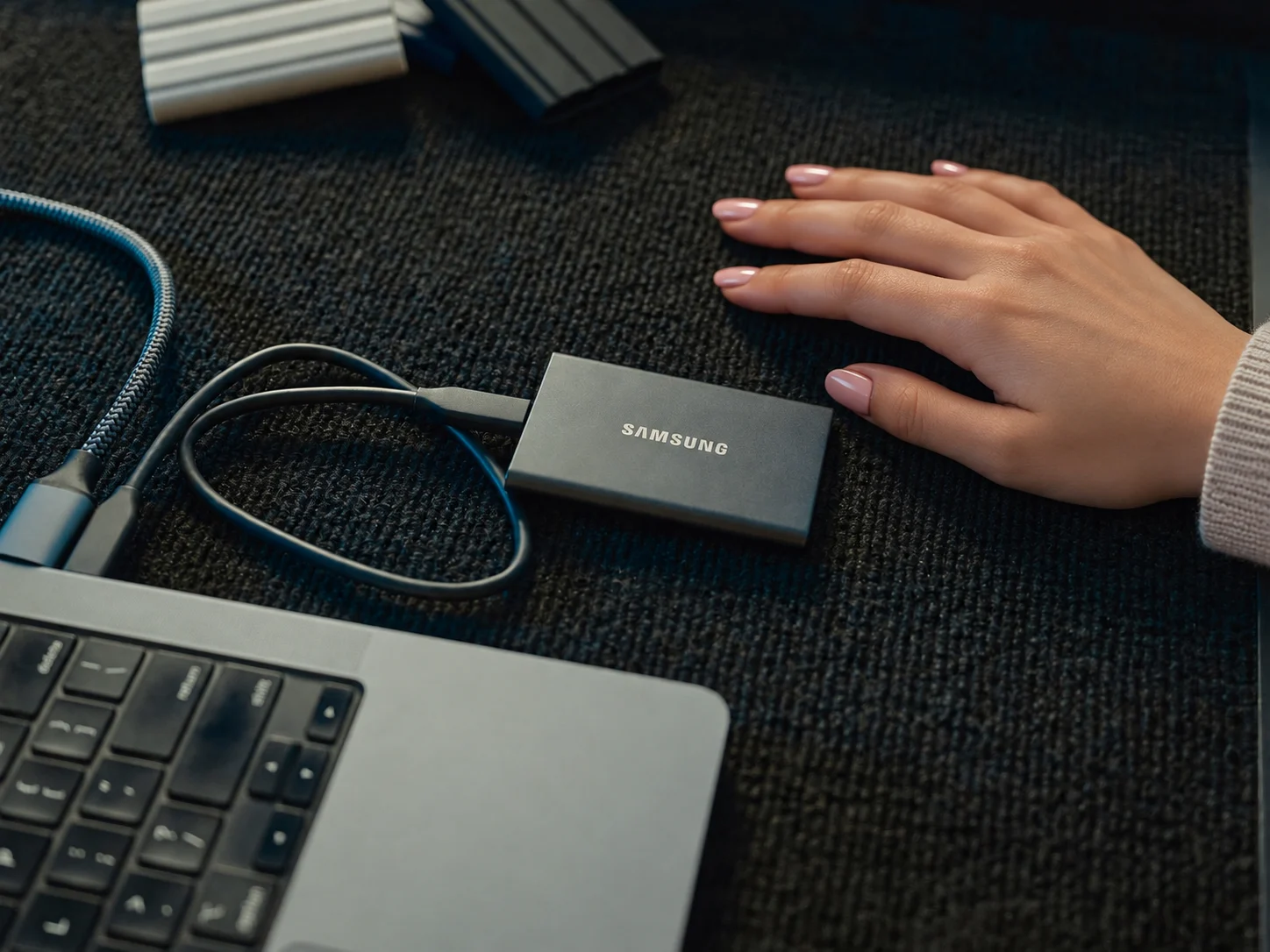
For many MacBook users, running out of storage can become a frustrating problem. High-resolution photos, 4K videos, large applications, project files and regular backups can quickly consume the space available on an internal drive. And when the storage starts getting crowded, managing files can become difficult. Upgrading the MacBook itself is not always practical, especially if the computer is otherwise working perfectly. Cloud storage is another option, but it may not be ideal for people who regularly work with large files or need quick access without depending on an internet connection. That is where a 1TB external SSD can make a noticeable difference. These compact drives can add a substantial amount of storage while also offering fast file transfers. Depending on the model, users can find options designed for portability, high-speed performance or added protection for use outside the office.
Why an External SSD Makes Sense for MacBook Users
An external SSD is more than just a place to dump files when your MacBook's internal storage gets full. Modern SSDs can deliver considerably faster performance than traditional portable hard drives, making them suitable for everyday file management. A 1TB drive can be particularly useful for storing photo collections, video footage, documents, music libraries and archived projects. Instead of deleting older files to free up space, users can move them to the external drive and keep them accessible whenever needed. For photographers, designers and video editors, this additional storage can be especially valuable because creative projects can quickly occupy hundreds of gigabytes.
Speed Matters When Moving Large Files
Storage capacity is only one part of the equation. Transfer speed should also be considered before purchasing an external SSD. If you frequently move large video files or entire folders between your MacBook and an external drive, a faster SSD can significantly reduce waiting time. The actual performance will depend on both the SSD and the connection being used. USB-C has become particularly convenient for MacBook users because it allows compatible drives to connect without relying on older USB connectors or additional adapters. However, not every USB-C SSD offers the same level of performance, so checking the drive's advertised read and write speeds is important.
Portability Can Be a Major Advantage
One of the biggest benefits of external SSDs is their compact design. Many 1TB models are small enough to slip into a laptop bag, backpack or even a pocket. This makes them convenient for students, professionals and creators who regularly move between home, office and studio environments. If you travel frequently, a lightweight SSD can be much easier to carry than a larger external hard drive. It can also provide a simple way to keep important files available across multiple computers.
Durability Is Worth Considering
Not every external SSD is built for the same environment. If your drive will mostly remain on a desk, a basic compact model may be enough. But people who travel with their storage device may want something designed to handle everyday knocks and accidental drops. Some portable SSDs also feature protection against dust and water. These features can provide extra peace of mind when the drive is being used outdoors or carried between different locations. Still, physical protection should not replace proper backups. Even a rugged SSD can fail, so important files should ideally exist in more than one location.
A 1TB SSD Can Be Useful for Creative Work
MacBooks are popular among photographers, video editors, graphic designers and other creative professionals. These users often deal with files that are far larger than ordinary documents. A single 4K video project can take up a significant amount of storage, while RAW photographs and high-resolution design files can quickly add up. Moving completed projects and large media libraries to an external SSD can help keep the MacBook's internal drive available for applications and active work. For video editors, an appropriately fast external SSD can even be used as working storage, although performance will depend on the drive, connection standard and software workflow.
Check Compatibility Before Buying
Before choosing an external SSD, MacBook owners should check how the drive connects to their particular model. USB-C connectivity is common, but port configurations and supported transfer standards vary between MacBook generations. A drive may physically connect to a MacBook while still being limited by the speed of the available port or cable. It is also worth checking whether the included cable supports the advertised transfer speeds. A high-performance SSD paired with a slower cable may not deliver its full potential.